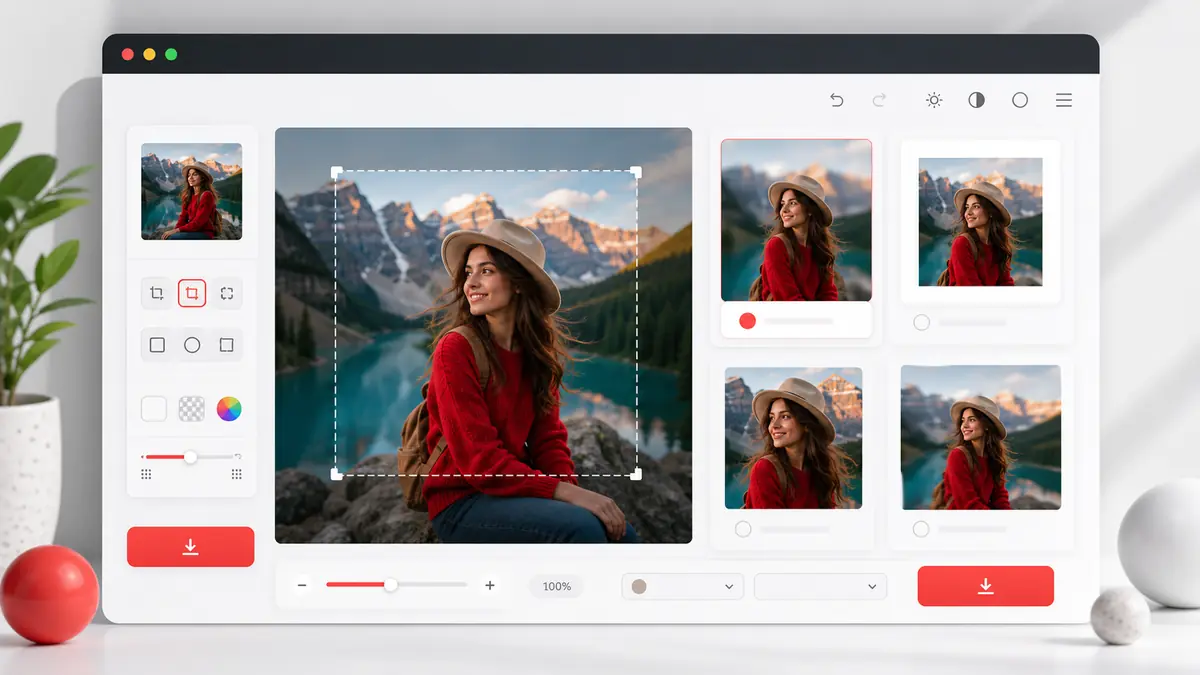
Square Image Generator
Convert any image to square image format (1:1) instantly
Perfect for Instagram avatars, WhatsApp profile pictures, product images, and more
Drop images into this area
or
Or paste images with Ctrl+V
Allowed Filetypes: JPEG, JPG, PNG, WebP, GIF, AVIF, ICO
How to Create Square Images Online - Square Image Generator - Complete Guide
Upload Your Image
Click "Select Files", drag and drop, or paste (Ctrl+V) your photo. Supports JPEG, PNG, WebP, GIF, AVIF, and ICO formats.
Choose Your Square Style
Select from 4 modes: Blur Background (keeps entire image), Color Background (solid color fill), Crop & Zoom (manual selection), or Stretch (fits to square).
Adjust & Preview
Fine-tune blur intensity, choose colors, zoom and position your image. See real-time preview of your perfect square image.
Download Your Square Photo
Select size (1080px, 1200px, 2048px, or original) and format (PNG, JPEG, WebP). Download instantly - no watermark, no signup required.
Why Use Our Square Image Generator Tool?
Perfect for Social Media
Create perfect square images for Instagram posts (1080x1080px), WhatsApp profile pictures, Facebook profile photos, Twitter avatars, and LinkedIn headshots. Square image format ensures your photos display perfectly without cropping.
100% Private & Secure
All image processing happens locally in your browser. Your photos never leave your device - no uploads to servers, no storage, complete privacy protection. Your images stay yours.
Fast & Completely Free
No signup, no registration, no watermarks, no hidden fees. Convert unlimited images to square image format instantly. Process images in seconds with professional results.
4 Professional Modes
Blur background (artistic look), solid color fill (clean branding), crop & zoom (precise control), or stretch (quick fit). Choose the perfect method for your perfect square image needs.
No Quality Loss
Maintain original square image quality with high-resolution square image output up to 2048px. Download square images in PNG for best quality, JPEG for smaller files, or WebP for modern web optimization.
Works on All Devices
Fully responsive design works perfectly on iPhone, Android, tablets, and desktop. Touch gestures supported for mobile - pinch to zoom, drag to position your perfect square images.
Square Image Use Cases - When You Need Square Images
Instagram Profile Picture & Posts
Instagram requires square image format (1:1 aspect ratio) for profile pictures and works best with square posts. Recommended: 1080x1080px square image PNG with blur background mode to keep your entire photo visible without cropping without cropping. Perfect for Instagram stories, reels covers, reels covers, and feed posts.
Best mode: Blur Background or Crop & ZoomWhatsApp Profile Photo
WhatsApp displays profile pictures in square image format. Create a perfect square image for WhatsApp DP profile without losing any part of your photo. Recommended: 1080x1080px PNG with color background or blur mode for clean, professional appearance.
Best mode: Color Background or Blur BackgroundE-commerce Product Images
Online stores like Amazon, eBay, and Shopify prefer square image product photos for consistent grid layouts. Recommended: 2048x2048px WEBP with white background for professional e-commerce listings. Maintains product clarity while meeting platform requirements.
Best mode: Color Background (white)Facebook & LinkedIn Profile Pictures
Professional social networks display profile photos in square image format. Create polished square images for Facebook square image profiles profiles, LinkedIn headshots, and business pages. Recommended: 1200x1200px PNG for sharp, professional appearance across all devices.
Best mode: Crop & Zoom for precise framingWebsite Thumbnails & Team Photos
Create uniform square image thumbnails for blog posts posts, team member square image profiles, and portfolio square image galleries. Square images provide consistent layout and improve user experience. Recommended: 1200x1200px for web optimization with fast loading times.
Best mode: Any mode based on design needsYouTube Thumbnails & Channel Art
While YouTube thumbnails are rectangular, square images work perfectly for channel square image profile pictures and community posts. Recommended: 1080x1080px PNG for clear, recognizable channel branding.
Best mode: Blur Background or Color BackgroundFrequently Asked Questions
How do I convert an image to square image format without cropping?
How to convert a rectangle image to square?
What is blur background mode and when should I use it?
How to make square image photos for Instagram?
Is my image uploaded to a server? Is it safe?
What file formats are supported?
Output formats: Download your perfect square images as PNG (best quality, supports transparency), JPEG (smaller file size, great for photos), or WEBP (modern format, excellent compression). Choose the format that best suits your needs.
Will my image lose quality when converted to square image format image?
What size should I use for Instagram, WhatsApp, and Facebook?
WhatsApp: 1080x1080px square image - ideal for profile pictures (WhatsApp DP)
Facebook: 1200x1200px square image - recommended for profile pictures and page photos
LinkedIn: 1200x1200px - professional headshots and profile photos
E-commerce: 2048x2048px square image - high quality for product listings
Our square image tool provides these preset sizes for easy selection, or choose "Original Size" to maintain your photo's dimensions.
Can I use this tool on my mobile phone?
Do I need to sign up or create an account?
Will there be a watermark on my downloaded image?
What's the difference between the 4 modes?
2. Color Background: Keeps your entire photo centered, adds a solid color background. Perfect for product photos and branded content. Choose any color. No cropping.
3. Crop & Zoom: Gives you full control to zoom in/out and drag to position. Select exactly which part of your image to keep in the square. Best for precise framing.
4. Stretch: Stretches your image to fit the square dimensions the square dimensions. Quick but may distort the image the image if the original aspect ratio is very different from 1:1. Use for quick conversions where slight distortion is acceptable.